Planchette

Design for the table, without the table.

Planchette is a free simulator for multitouch tables: the big interactive surfaces in museums, showrooms and exhibits, where people gather round and use their hands and real objects at once. Put pucks on it, touch it, turn things, and see exactly what the table will show. Then take the same interface to the real thing.

True to size

A touch table is a metre and a quarter wide. Planchette lays every interface out at the table's real resolution and measures it in real millimetres, so a button that looks right here is the right size under someone's finger.

Objects, not just fingers

The table recognises physical pucks: where each one is, which way it faces and which one it is. Place them, slide them and spin them, alongside as many fingers as you like, the way a group of people really would.

Then run it on the table

An interface is a plain web page. When it's ready, the same files run on the real table, with no rebuild and no translation. Planchette is the place you get it right before you get there.

Try it right here

This is the real simulator, running one of the examples. Drag the puck to move it. Scroll over it to turn it, then click a ring to open what it's pointing at.

The live demo needs a bigger screen. The reel above shows it in motion.

The whole table, on your laptop

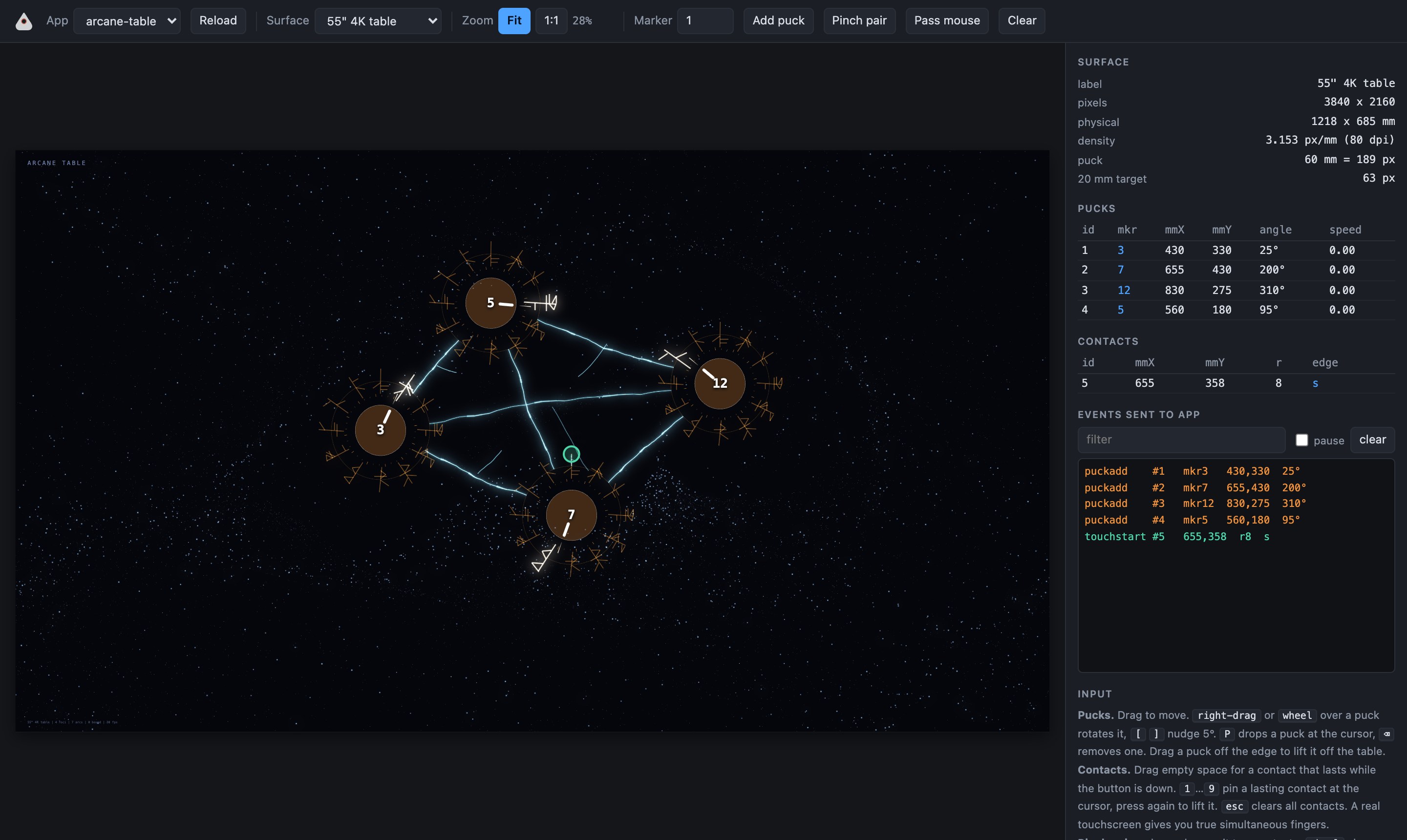
Pick an interface, drop pucks on it and try it with several hands at once. The panel on the right shows everything the interface is told, as it happens, so when something looks wrong you can see why.

The Planchette app: a toolbar along the top, the Arcane table example with four pucks in the middle, and a panel on the right listing the pucks, touches and events

Designers build it themselves

At Hyperquake, designers have been making table interfaces on their own. They describe what they want to an AI coding agent, watch it appear in Planchette, play with it, change their minds, and carry the result to the real table to test. No waiting for a developer to turn a sketch into something you can touch.

That works because every Planchette workspace comes with guidance written for the agent: how big things should be, what a puck can do, what the table will and won't tolerate. It knows the rules of the surface from the first prompt.
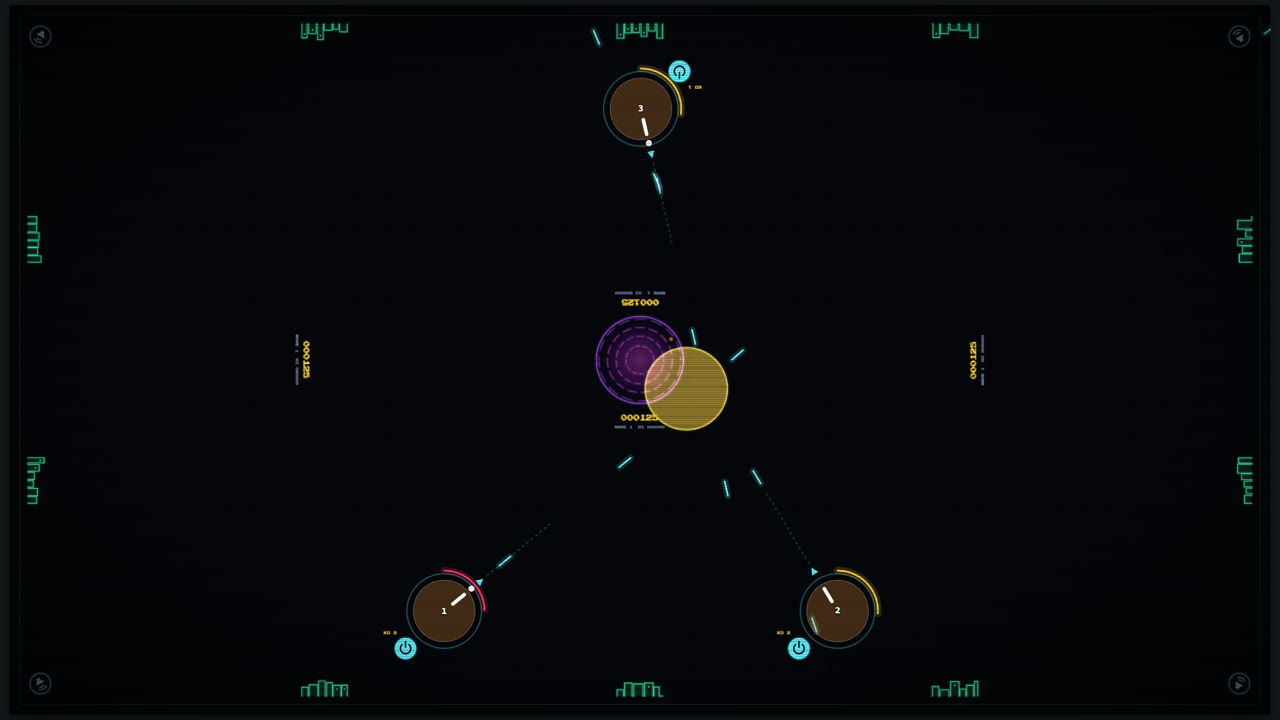
Riftfall: three pucks near the table's edges acting as laser turrets, firing at warheads streaming out of a purple rift in the centre
Riftfall. Co-op missile defence. Every puck is a laser turret: turn it to aim, tap its button to fire, and keep the cities at the edges alive.
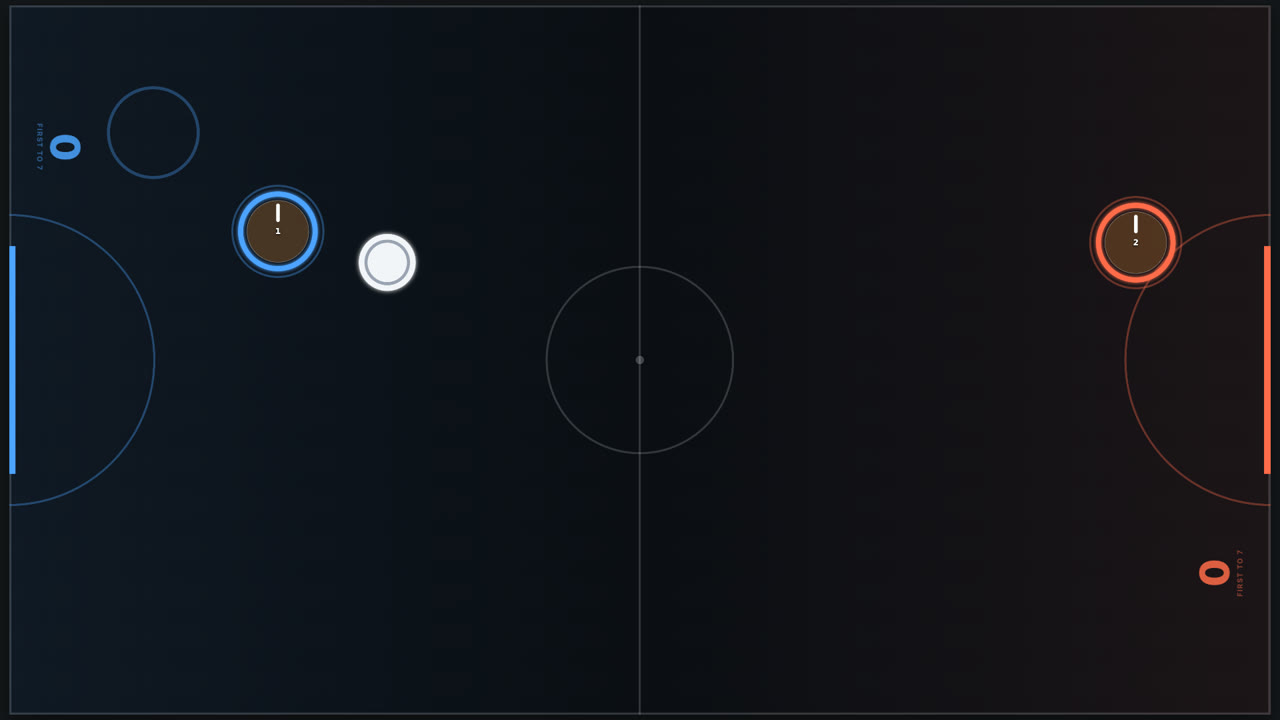
Air hockey: a blue and an orange puck acting as mallets on either side of a rink, with a white puck between them
Air hockey. Any puck or finger on your half is a mallet, so it plays one on one or two on two.

Two games our designers made on a testing day, just for fun.

What's in the box

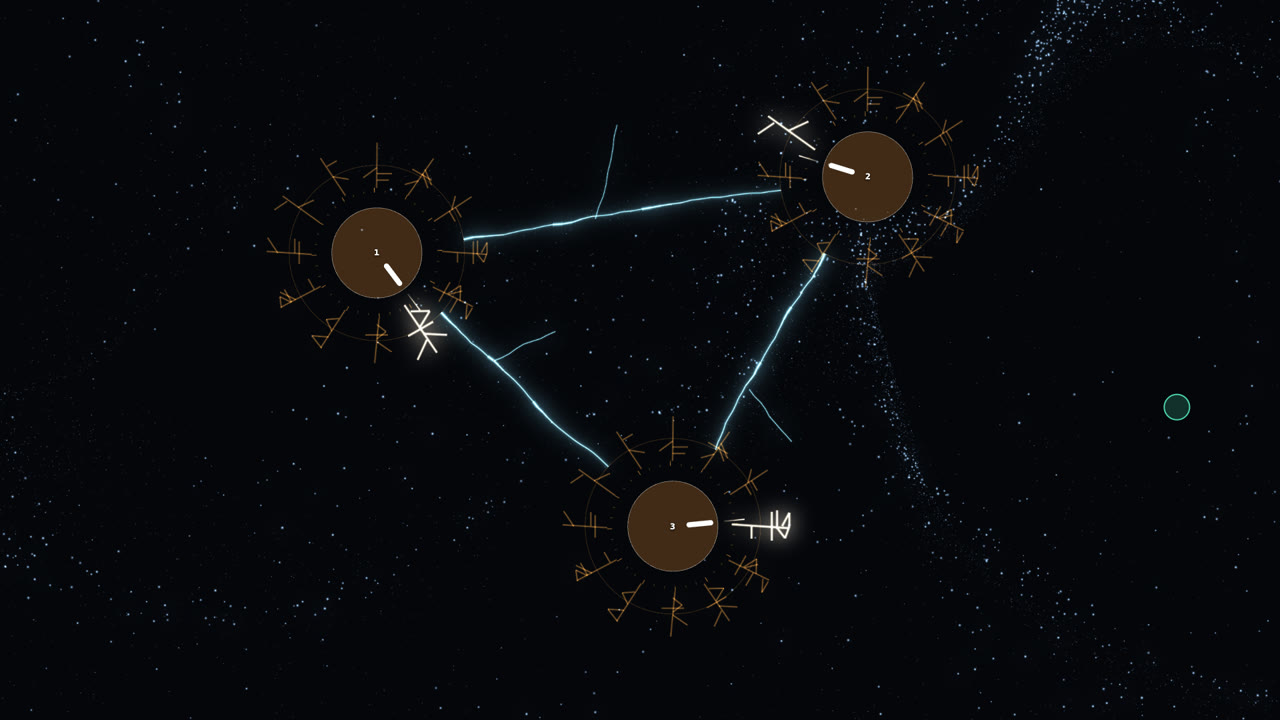
Three pucks on a dark field, runes circling each, with lightning arcing between them
Arcane table. Runes bloom around every puck, and lightning arcs between pucks that come near each other.
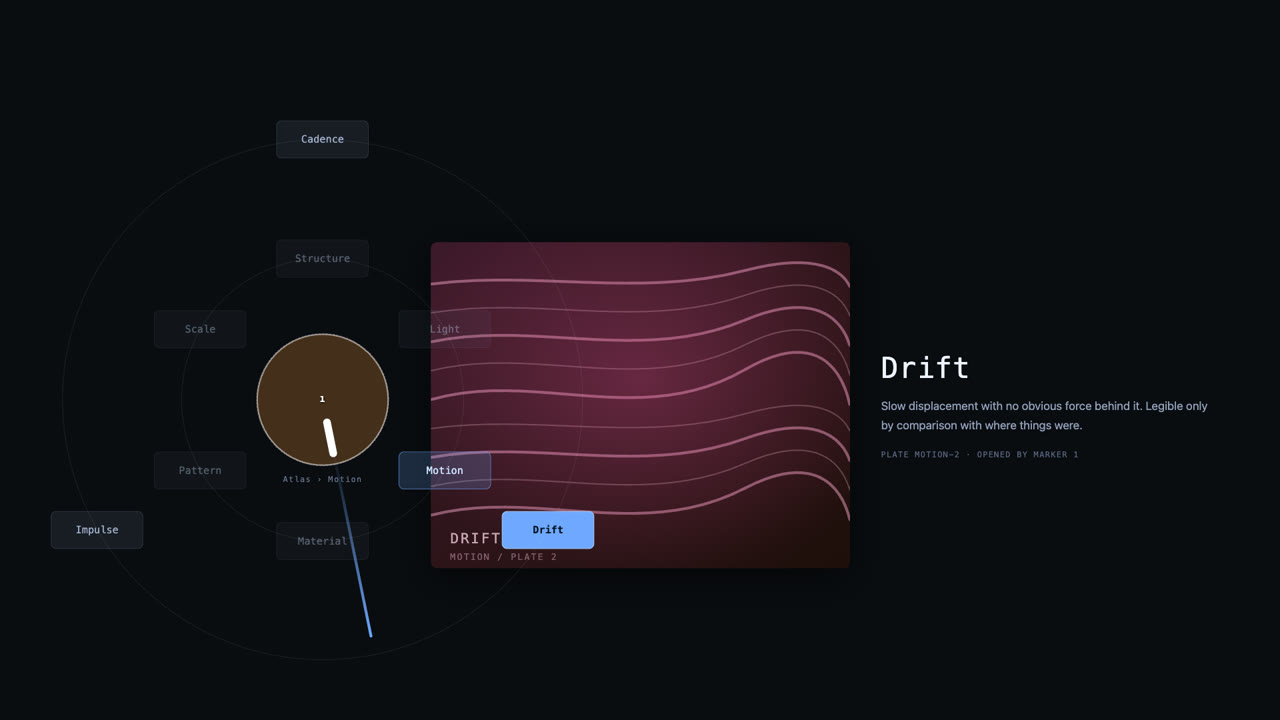
A puck with a ring of menu items around it, and an opened image plate beside it
Radial atlas. Turn a puck to browse a collection, tap its ring to go deeper and open a plate.
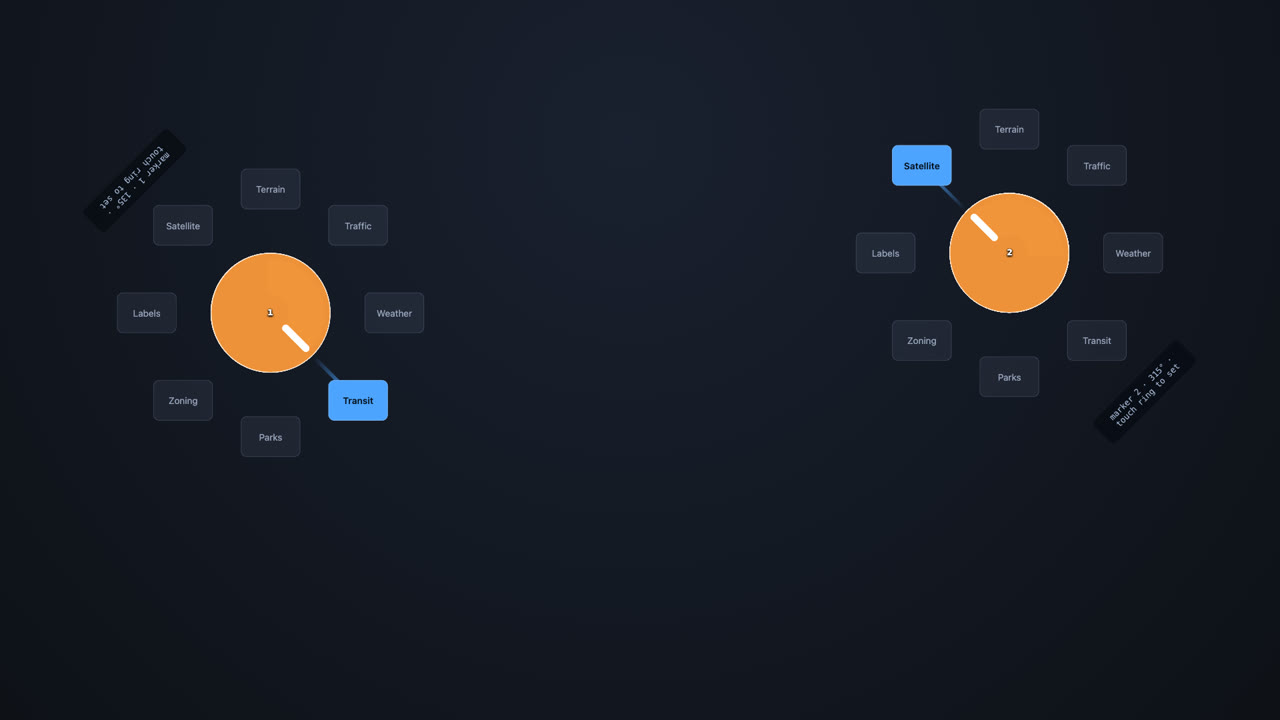
Two pucks, each with a ring of options, one option highlighted on each
Dial demo. Every puck becomes a dial. The simplest complete example, and the place to start.

Get Planchette

Free, for macOS and Windows. Version 0.2.0-beta.1 (beta).

Mac

Apple silicon Intel

Opening it the first time. Planchette isn't notarized by Apple yet, so macOS will hesitate. Right-click the app and choose Open. On macOS 15 and later, try to open it once, then go to System Settings, Privacy & Security, and click Open Anyway. Once per machine.

Windows

Installer Portable

Opening it the first time. The app isn't code signed yet, so Windows may say it protected your PC. Click More info, then Run anyway. Once per machine.

New to it? The getting started guide takes you from install to your first interface. Older versions and release notes are on GitHub.

Why it's free

Hyperquake designs and builds interactive installations, touch tables included. We made Planchette to design our own, and we're giving it away because the work gets better when more people can design for these surfaces. It's open source under the MIT license. Found a bug? Tell us on GitHub.